Deformed Shape Viewer
With the Deformed Shape Viewer, users have the possibility of visualising the deformed shape of the model for every period of the model (click on the desired output identifier to update the deformed shape view).
The deformed shape plot can be tweaked and customised using the 3D Plot options and then copied to any Windows application by means of the Copy 3D Plot facility. In addition, and whenever the real-time deformed shape of the structure is difficult to interpret (because displacements are either too large or too small), users can make use of the Deformation Amplifier available on the left of the Deformed Shape Viewer tab or of the Deformed Shape Multiplier, available from the right-click popup menu, the main menu (Tools > Deformed Shape Settings…) or through the corresponding toolbar button  , to better adapt the plot.
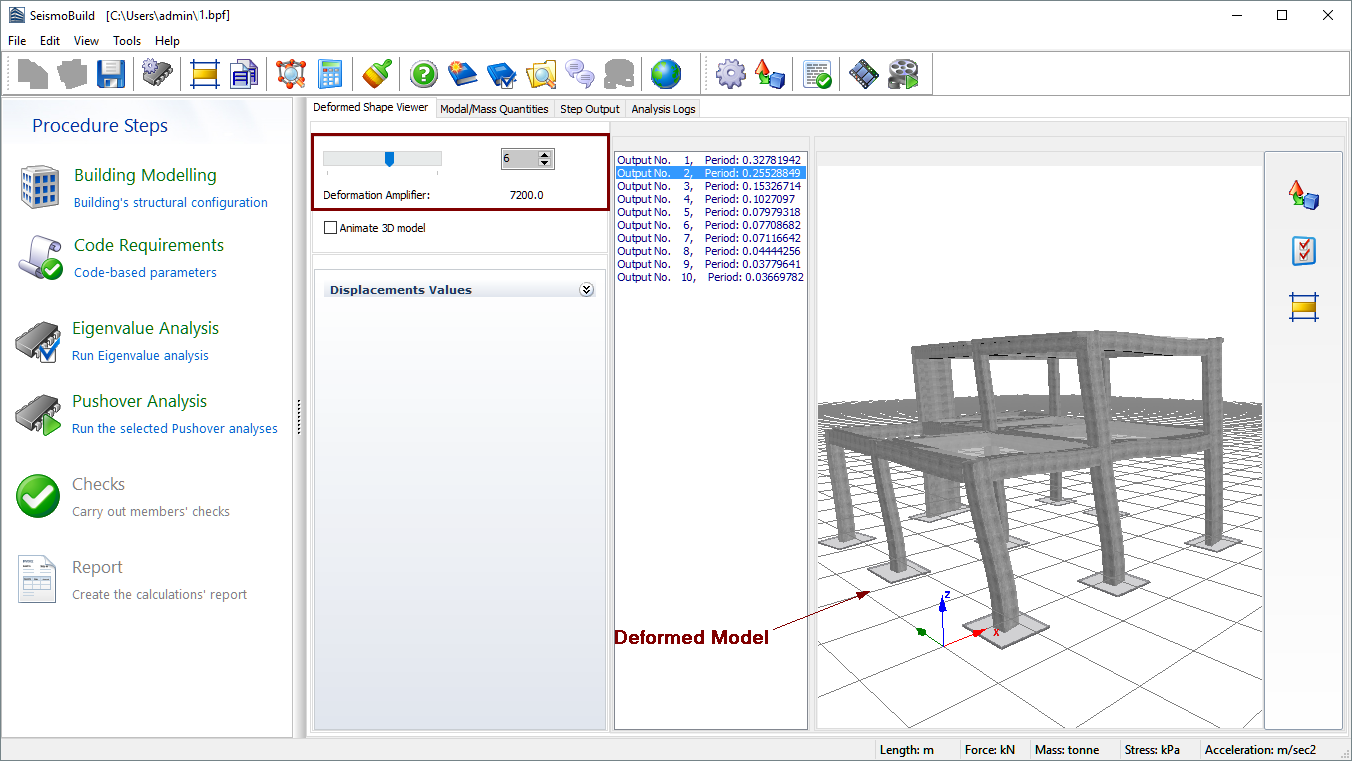
Finally, the vibration mode of a structure (as obtained from eigenvalue analysis) is animatedly depicted through the selection of the Animate 3D model check-box.